
SemCue · report preparation system
The conclusion up front.The evidence inside.
A long report should help someone make a decision, then give another person enough detail to act. We built an engine that turns written findings and checked data into an interactive document: a clear opening summary, expandable sources and a practical action plan. The report opens as a single HTML file, with its styling and interface code included.
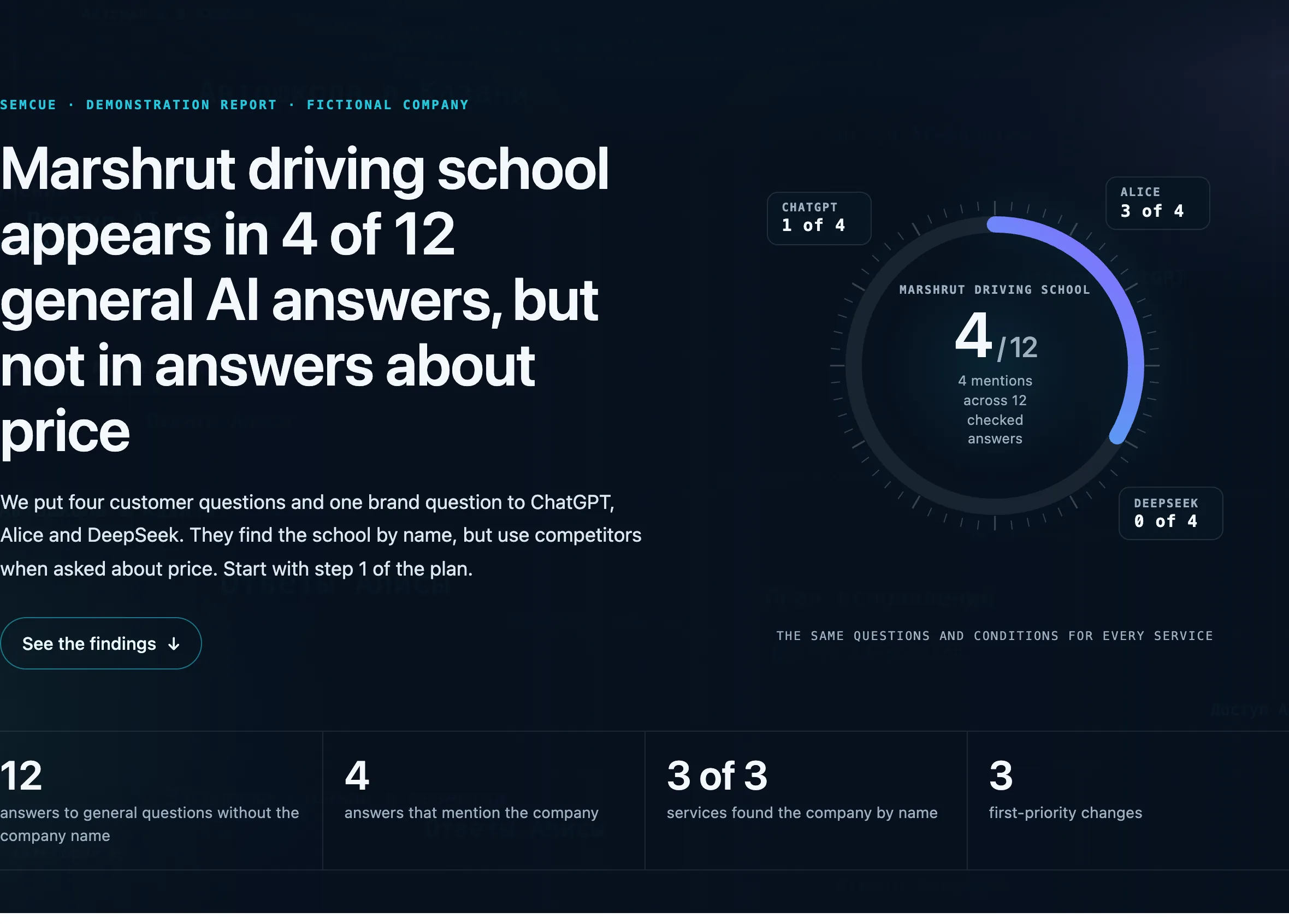
Engine implemented · The screenshots show an existing report about a fictional company. Every business figure is illustrative.
- 1 HTMLcontains the interface, styling and datathe builder embeds CSS and JavaScript
- 5screen widths in the checking programmefrom 320 to 1,440 pixels
- SHA-256checks an answer against its saved textincluding the content shown in the browser
- Offlinethe report runs without a serveropening external sources needs an internet connection
Start with the conclusion
A business owner and a developer bring different questions to the same report. The owner needs to understand the situation and choose a starting point. The person doing the work needs details, examples and a way to check the result.
The opening screen therefore shows a short conclusion and the figures behind it. Findings, full material and the action plan sit further down. Readers choose how far to go without losing the overall picture.
The driving school in the screenshots is fictional. Its figures demonstrate the interface and do not represent a client’s results. Interface text was adapted into English for this case; the report product shown is Russian-language.
Send the whole document
A normal web page relies on other files. Send the HTML on its own and its styling or buttons may disappear. We embed the styles and JavaScript in the finished document.
The builder checks that references to separate interface assets have gone. The resulting copy opens locally. Sources remain external links, so following them still needs an internet connection.
- Content
Written findings and supporting material
The report’s content is separate from its shared template.
- Build
A temporary working copy
The builder inserts the content, checks types and compiles the interface.
- Delivery
A self-contained HTML file
The styling and behaviour are already inside. A checksum is recorded alongside it.
Follow a finding to the full answer
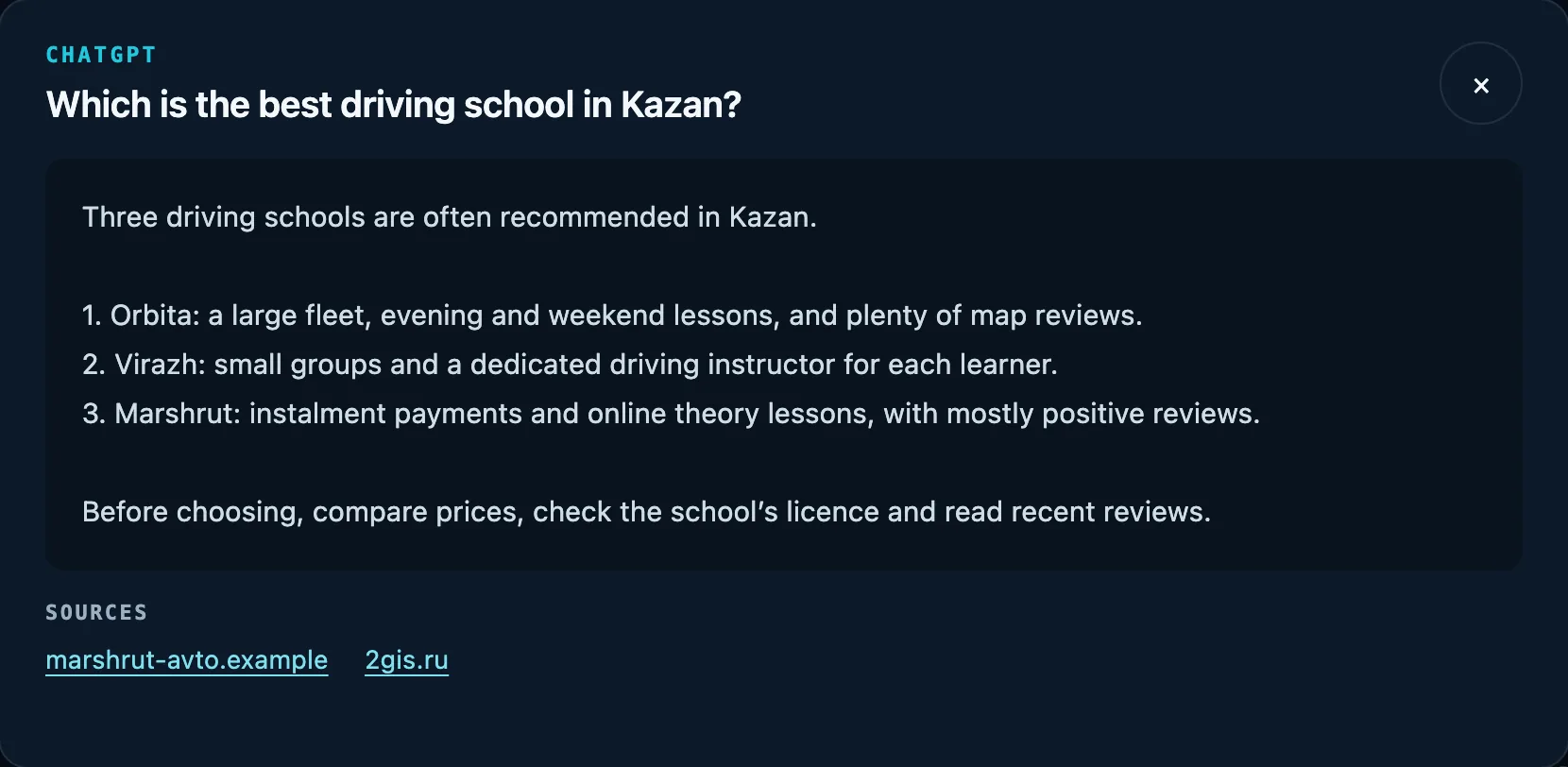
A short summary is easy to read but harder to verify. The report lets readers open the full saved answer and follow its source links.
Our check compares the text displayed in the browser with the saved answer and its checksum. If part of the answer changes or disappears during the build, the programme reports an error.
Enough detail to hand the work over
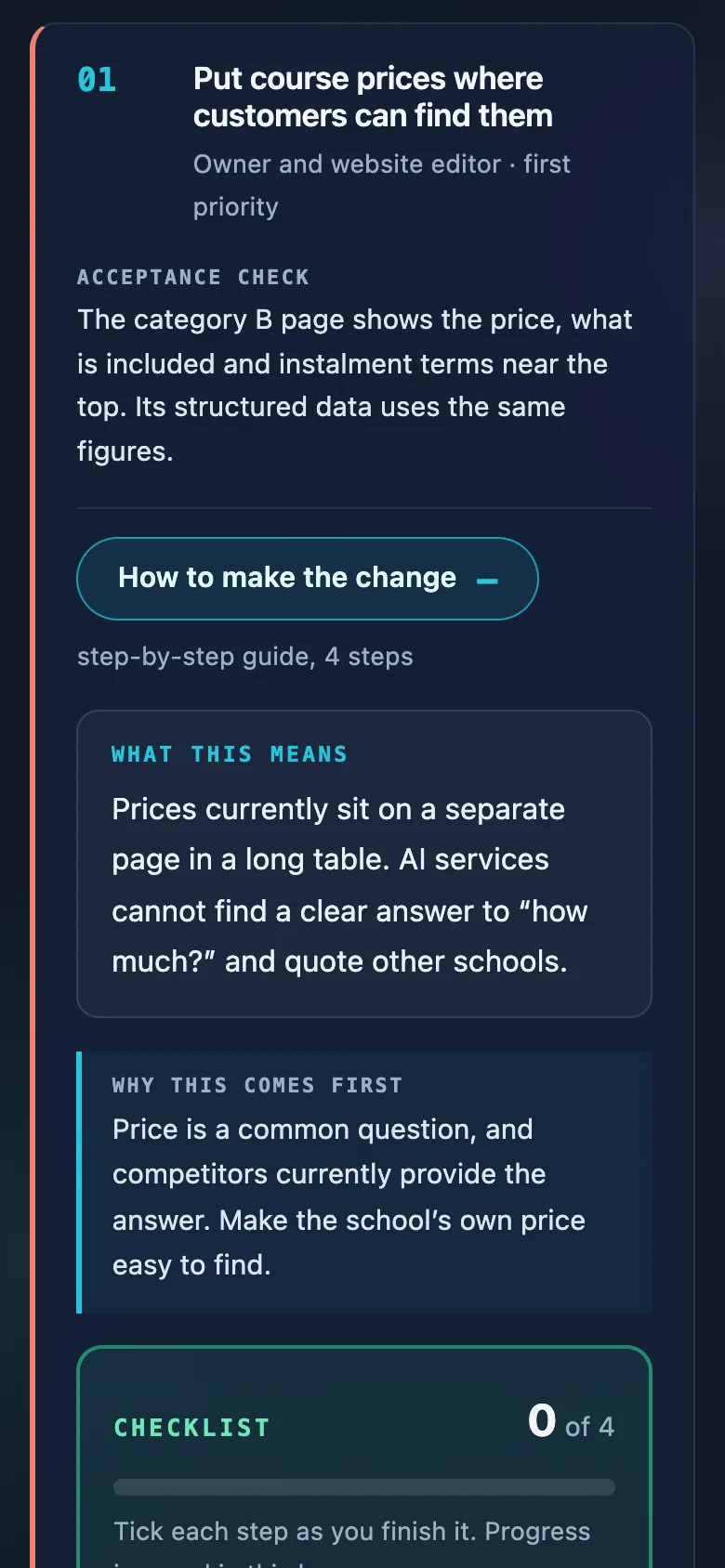
“Improve the page” is too vague to hand over. Each action can include an explanation, a checklist and a clear acceptance check.
Readers expand the detailed instructions when they need them. They can copy a ready-written task, view an example and tick off completed steps. Progress stays in that reader’s browser.
Check what happens after a click
A closed card can look tidy while a long link or table breaks the layout when opened. The checking programme uses different screen sizes and expands hidden sections.
It checks horizontal overflow, menu destinations, answer filters and interface errors. External network requests are blocked during the check: the document has to work with the material it already contains.
- 320–1,440 pxthe width range in the automated checkphones, a tablet and a desktop
- Text + hashchecks on saved answersalong with the number of source links
A new build keeps its own place
Every built file has a timestamp and checksum. Each build adds a history entry, so versions can be distinguished by their content.
When the previous version is marked as published, a new build does not replace it in the current delivery record. It stays in the history as a draft. Preparing changes and releasing a new document are separate decisions.
The shared template handles the interface and company material supplies the content. Before delivery, a separate check opens the finished file as the reader would.
How it was built
A shared template, separate content
We put the report structure, interactive blocks and styling in a shared template. A report’s own text, data and images are inserted into a temporary copy at build time.
This case uses an existing demonstration document about a fictional driving school. We opened it locally for the screenshots with external network access blocked.
- ContentFindings, supporting material, an action plan and acceptance checks.
- EngineThe shared interface, self-contained build, file history and checksums.
- CheckingDifferent screens, expanded material and accurate saved answer text.
For technical readers
How it is built
- Interface
- React and TypeScript: expandable sections, answer windows, filters and checklists.
- Build
- Python runs type checks and Vite in a temporary copy, then embeds CSS and JavaScript in the HTML.
- Checks
- Puppeteer opens the local file with external requests blocked and compares answer text, hashes and sources.
- Versions
- A manifest records the filename, build time, size, SHA-256 and status; each new build joins the history.
Where the numbers come from
What supports this case
- Source code for the report template, self-contained builder and checking programme.
- An existing demonstration report and its generator, which explicitly identify the company, answers and figures as fictional.
- Local captures of the real desktop and mobile interface with external network access blocked.
Next system
Websites, PDFs and job boards into usable data →