
Horror Cinema · MORPHEUS · gifts
Give the experience.Choose the date later.
Someone wants to give a cinema or theatre visit without deciding when the recipient must go. For Horror Cinema and MORPHEUS, we built a separate purchase path: choose an amount, leave contact details, pay online and receive a certificate through a personal link. The purchase pages and personal certificate page are implemented. Automatic fulfilment is ready for a real-payment acceptance check.
Fulfilment pilot · purchase pages were published in September and October 2026; the case materials do not confirm the full path with a real payment
- 2 brandsa shared purchase process with separate visual identities
- No datebuy the gift separately from booking a session
- Bank + cardonline payment on the certificate page
- 1 orderthe same certificate code on a repeated issue requestimplemented rule; automatic fulfilment is in pilot
The buyer chooses the amount, the recipient chooses the evening
An ordinary booking begins with a date and an available time. A gift needs a different decision: the person paying often will not be the one attending. The certificate therefore sits outside the timetable and does not reserve a calendar slot.
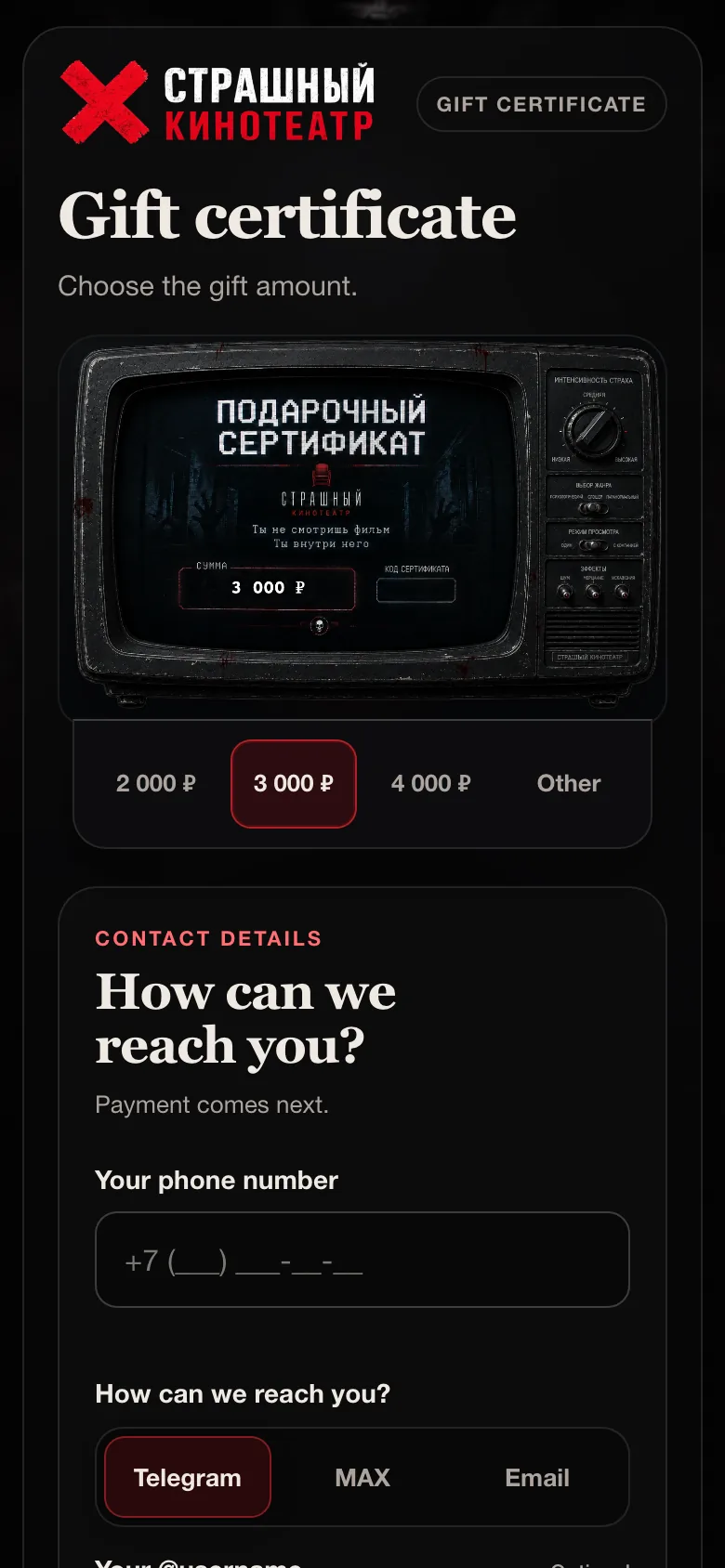
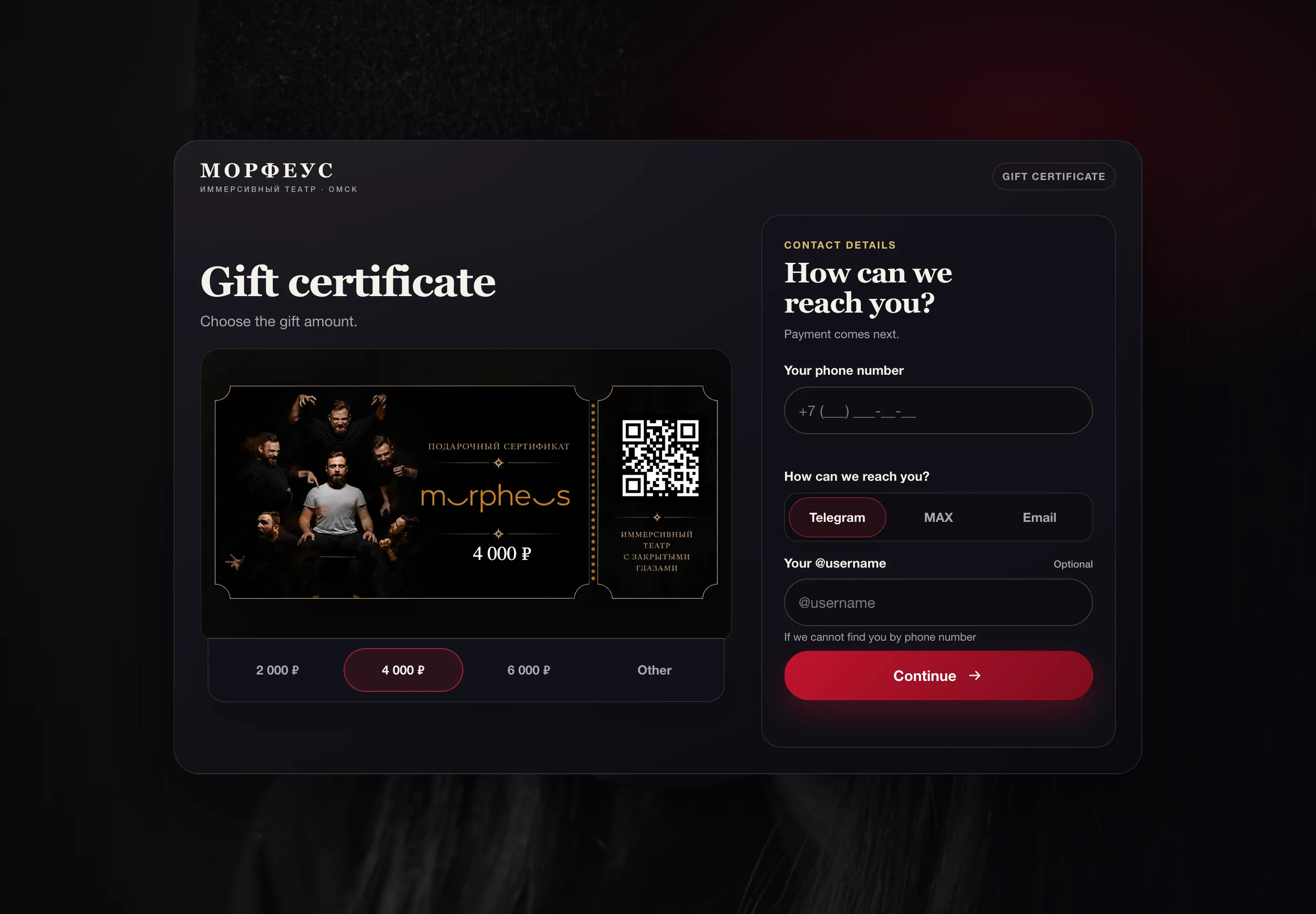
The gift artwork is visible as soon as the page opens. Buyers can choose a suggested amount or enter their own. The preview updates with the amount, while their contact details stay alongside it.
The recipient chooses the cinema session or theatre performance later. The buyer does not need to know their diary in advance.
The gift amount is saved before the buyer reaches the bank
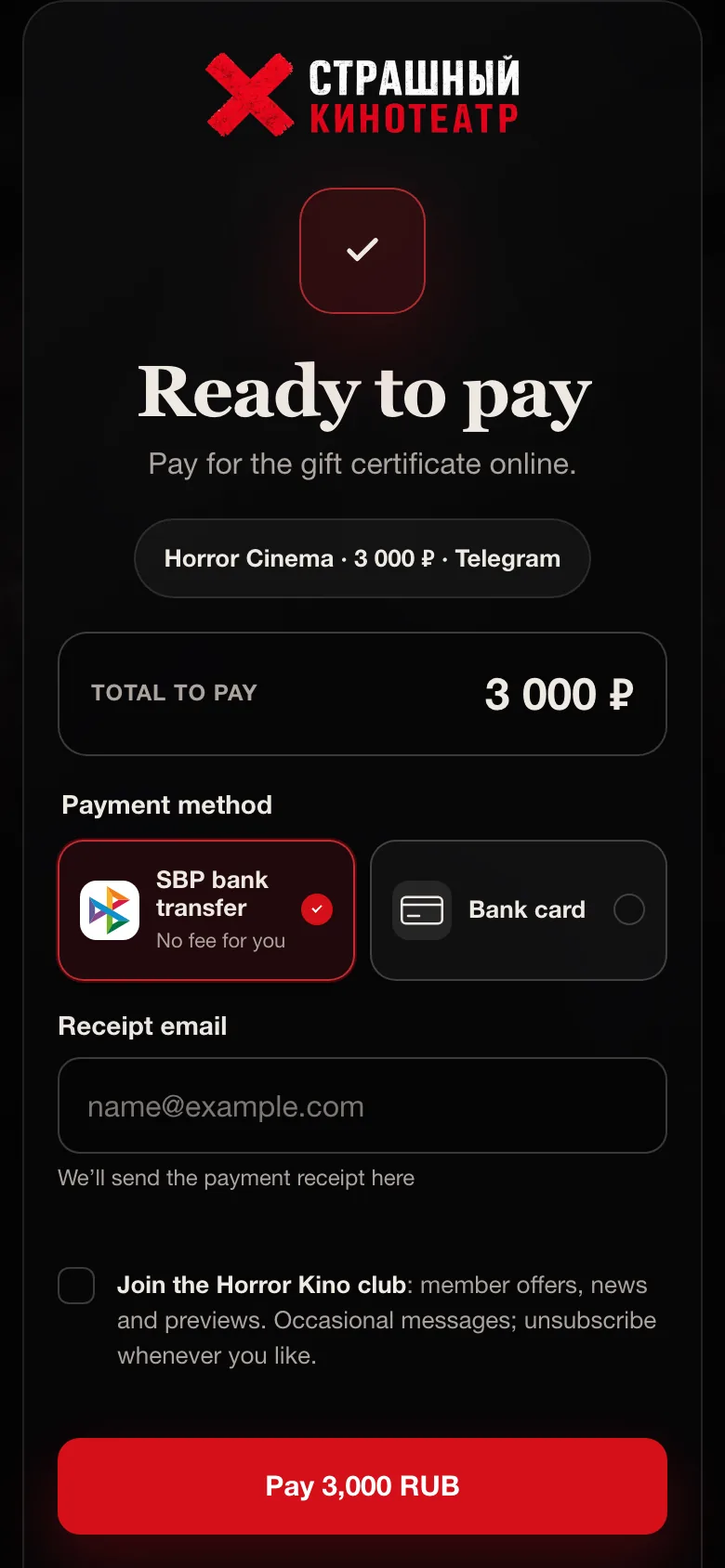
The form saves an order and passes it to the CRM first. The buyer then chooses SBP bank transfer or a bank card and enters an email for the fiscal receipt. A receipt-upload option remains on the same page as a fallback.
At the payment step, the browser no longer submits the amount again. The server takes it from the saved order, keeping the payment tied to the gift the buyer chose, including when they return from the bank.
Returning from the bank does not confirm payment on its own. The server fetches the payment from the provider again and checks its amount, currency and order details. Verified success permits issuing when the fulfilment module is enabled for the order.
The screen distinguishes a completed payment from an unfinished one. Buyers can return to the bank, check the status or try again when payment is unfinished.
Club marketing consent is separate from the email needed for the payment receipt.
A gift with its own page, code and downloadable image
In the implemented fulfilment process, a paid order receives a certificate code, expiry date and personal link. The buyer sees that link on the payment page; the manager receives the same link in a note on the existing CRM deal.
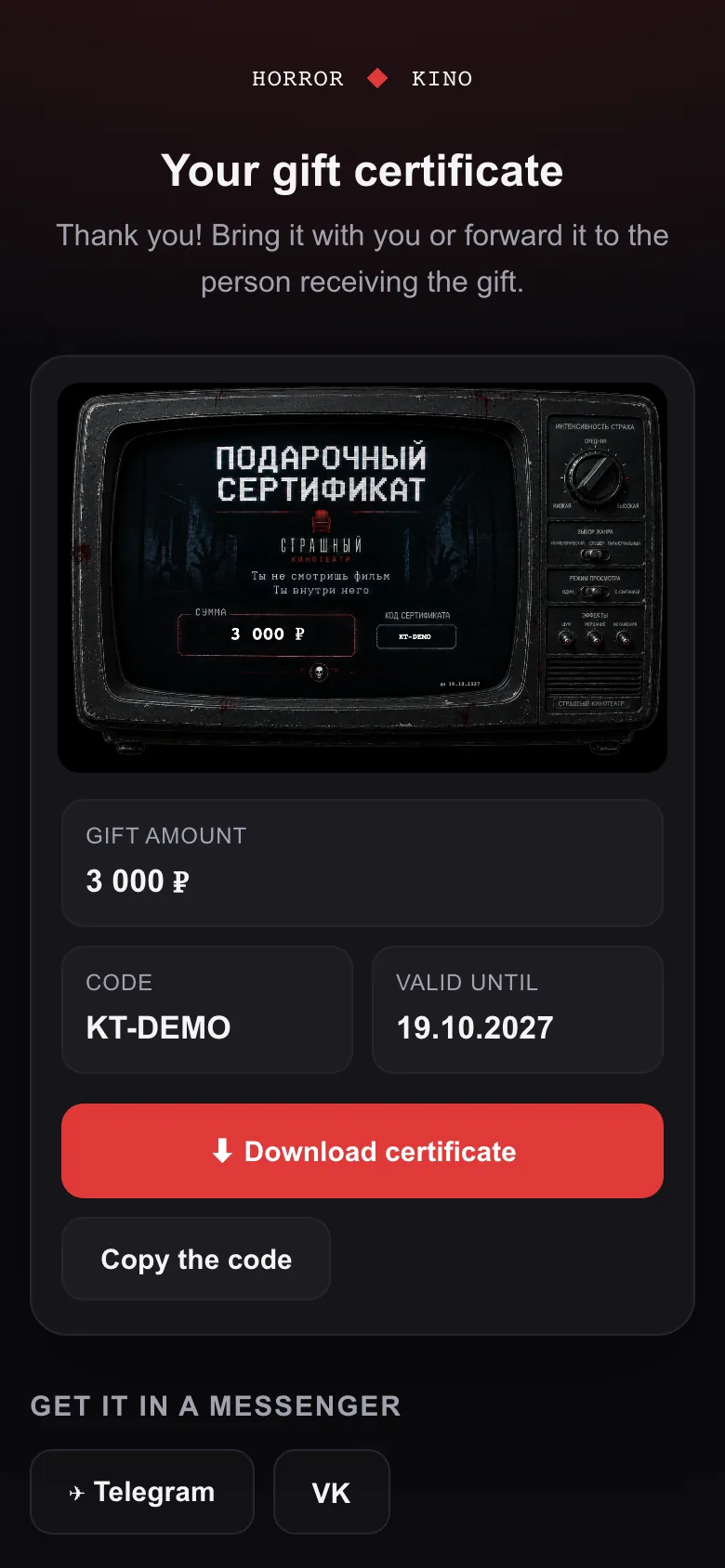
The personal page lets the buyer download the image, copy the code or open a messenger. They can forward the gift without a separate conversation about its value.
Guessing a certificate code is not enough to open its page: the link also carries a signature checked by the server. The recipient does not need access to a manager account.
The preview and finished image use the brand’s actual artwork. The value, code and expiry date are placed directly into the gift design.
This screen uses an invented certificate with a DEMO code. It shows the implemented interface rather than a confirmed real purchase.
A repeated notification must not issue another gift
A payment provider may report the same payment more than once. A buyer may also refresh the page while their certificate is being prepared. We tied issuing to the original order, so a repeated request returns the existing code.
Payments flagged for manual review cannot trigger automatic fulfilment. Temporary issuing failures are retried in the background with the same order key. Frequent refreshes by the buyer do not use up those retry attempts.
If those attempts are exhausted, the process provides for a CRM note asking a manager to issue the paid gift manually. The buyer sees a message explaining that the team will prepare their certificate and contact them.
Repeated issue request
The same order gets its existing code, with separate checks for the brand and gift amount.
Payment under review
Issuing waits until the disputed payment state has been checked.
Failure after payment
Issuing retries and the manager’s CRM note are tracked separately from payment confirmation.
A theatre gift of its own, with a shared purchase process
The Horror Cinema certificate looks like an old television; the MORPHEUS version resembles a theatre ticket. Each brand has its own suggested amounts and design. Amount selection, payment and recovery after returning from the bank share the same code.
Certificates use the existing payment and CRM integrations while remaining separate from time-slot bookings. A gift does not expire like an unpaid session reservation and does not block the venue’s timetable.
The next pilot step is to confirm the complete path with a real payment and receipt of the finished certificate. Until then, this case shows the published pages and implemented fulfilment rules, without claiming a sales increase.
How it was built
From a manager enquiry to an online purchase
The first version collected an enquiry: a manager contacted the buyer, took payment and issued the certificate manually. We added online payment, a personal gift page and issuing tied to a verified payment.
The cinema and theatre kept their own artwork. We shared the steps where the money and order state matter: saving the amount, verifying payment, issuing a code and passing the link to the manager.
- The venuesSuggested amounts, branded certificate artwork and purchase rules.
- SemCuePages, payment, personal links, protection against repeated issuing and CRM integration.
- The managerSees the order in its CRM deal and handles cases needing manual attention.
For technical readers
How the order stays tied to the gift
- Order
- A separate type in the shared booking service. Its own amount, contact details and repeat-request key; no calendar event is created.
- Payment
- The amount comes from the saved order. The server verifies YooKassa status, amount, currency and order metadata.
- Issuing
- The issue key is tied to the order. Repeats return the existing certificate; a different brand or amount is rejected.
- Personal page
- An HMAC signature checked by the server, plus a PNG download rendered from the actual branded template.
- Recovery
- Background retries for unfinished issuing and CRM notes. Payments under manual review cannot trigger automatic fulfilment.
Where the numbers come from
What supports this case
- The original plan for moving from a manager enquiry to online certificate payment.
- Purchase pages, the personal certificate page and the branded renderer, reviewed on 19 October 2026.
- Order storage, payment verification, repeat issuing and CRM-note implementation.
- Page publication and verification records dated 29 September and 14 October 2026. Page checks do not confirm real automatic fulfilment.
- Actual interfaces captured locally with synthetic data and all external service requests blocked.
Next system
A report with its evidence inside →