
Art Quest · Horror Cinema · MORPHEUS
The shift runs itself.The manager steps in when needed.
Two branches, escape rooms, kids’ parties, horror cinema and theatre. Every event needs its own people: a host, an actor, an entertainer. The rota, cover and the till used to live in spreadsheets and work chats. We built a cabinet where staff see their shifts and run the till from a phone, while the manager sees the whole week and steps in only when something goes wrong.
Released · 16 October 2026 · company data loaded, staff are being connected next
- 30staff and 112 admissions moved from work historysince April 2026
- 41events arrived from the booking calendar in the first import16 October 2026
- 27assignments set automatically from names in bookingsfirst run
- 2branches on one rotastaff picked across both at once
Who’s working on Saturday?
Saturday: an escape room at 12:00, a kids’ party at 15:00, a horror screening at 19:00 and a play at 21:00. Each event needs its own crew. Someone is ill, someone has swapped, someone missed the message in the chat.
The manager kept it all in their head and a spreadsheet, and the till was reconciled in the evening from staff messages. Mistakes surfaced when guests were already at the door or when the money didn’t add up.
The core principle of the new cabinet: the system knows what should happen and who does it. A normal shift creates no tasks for the manager at all. They only get deviations.
Plan
Staff
Shift
Manager
- late arrival or no-show
- till discrepancy over 100 RUB
- shift left open
The week on one screen
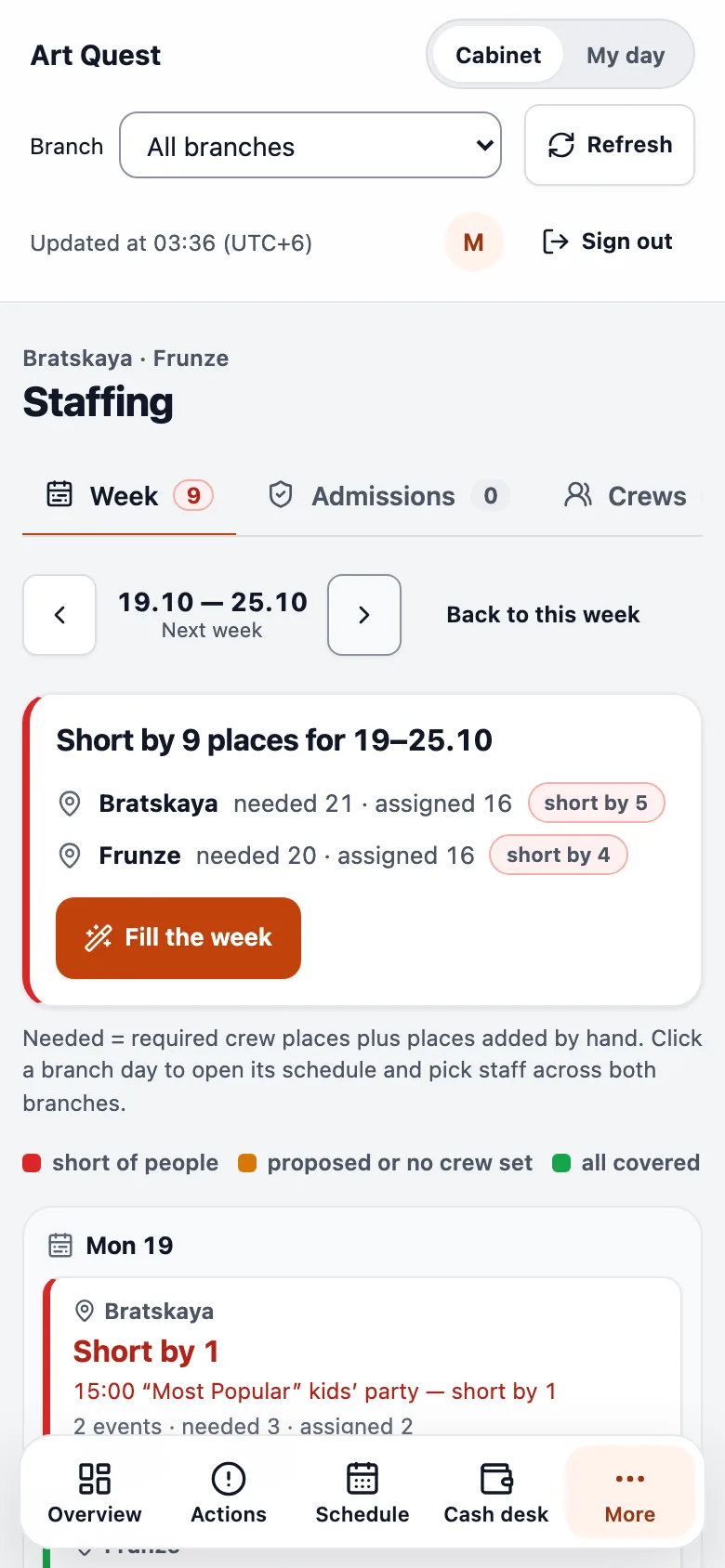
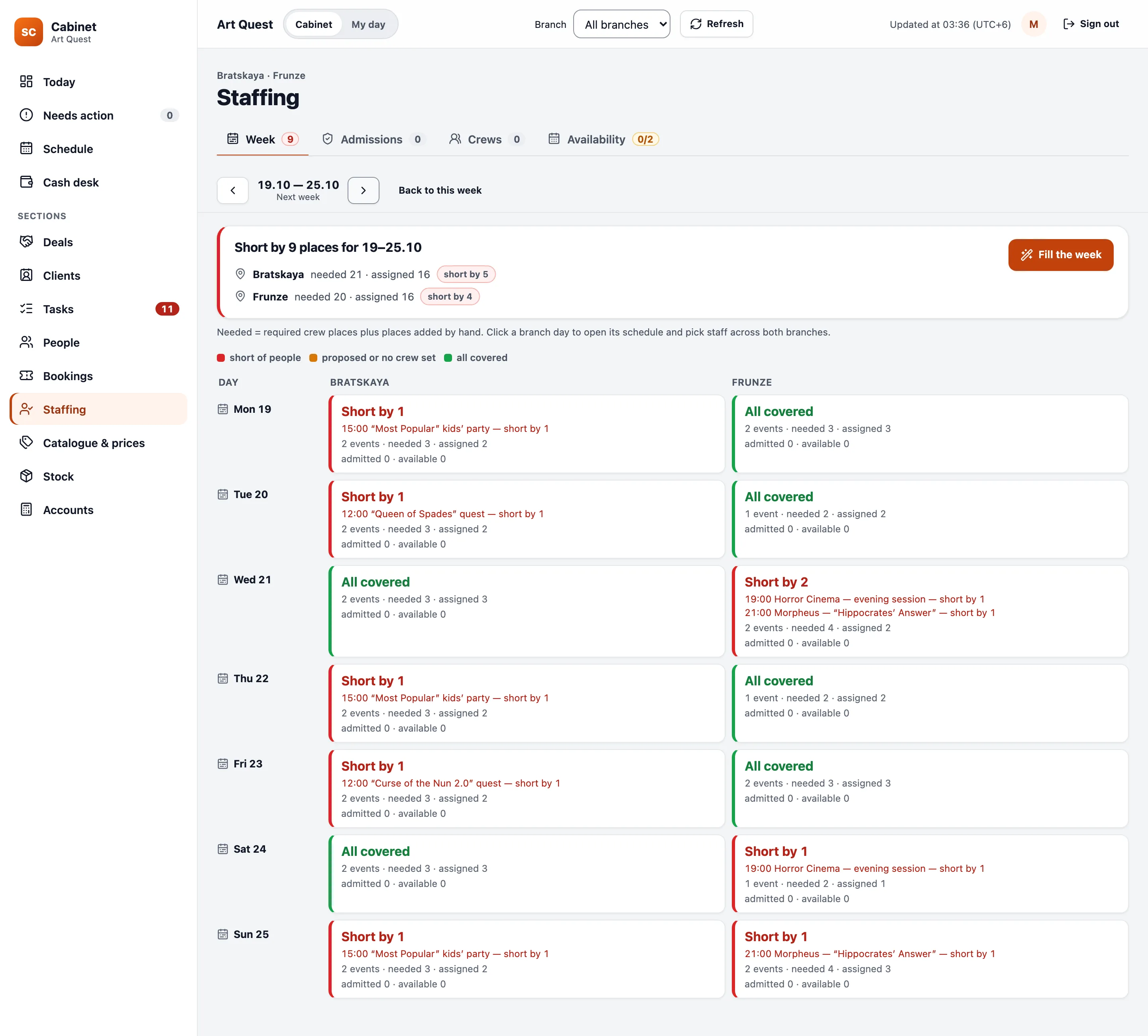
Bookings from the calendar become events on their own, and their places come from the crew template: a kids’ party needs a host and an entertainer, a horror screening a host and an actor. If a booking already names a member of staff, the system assigns them.
The weekly board shows every day across both branches: red where people are missing, green where everything is covered. The picker searches both branches at once, taking admissions, availability and travel between venues into account. Nothing is assigned until the manager confirms.
Staff get a phone screen, not a chat
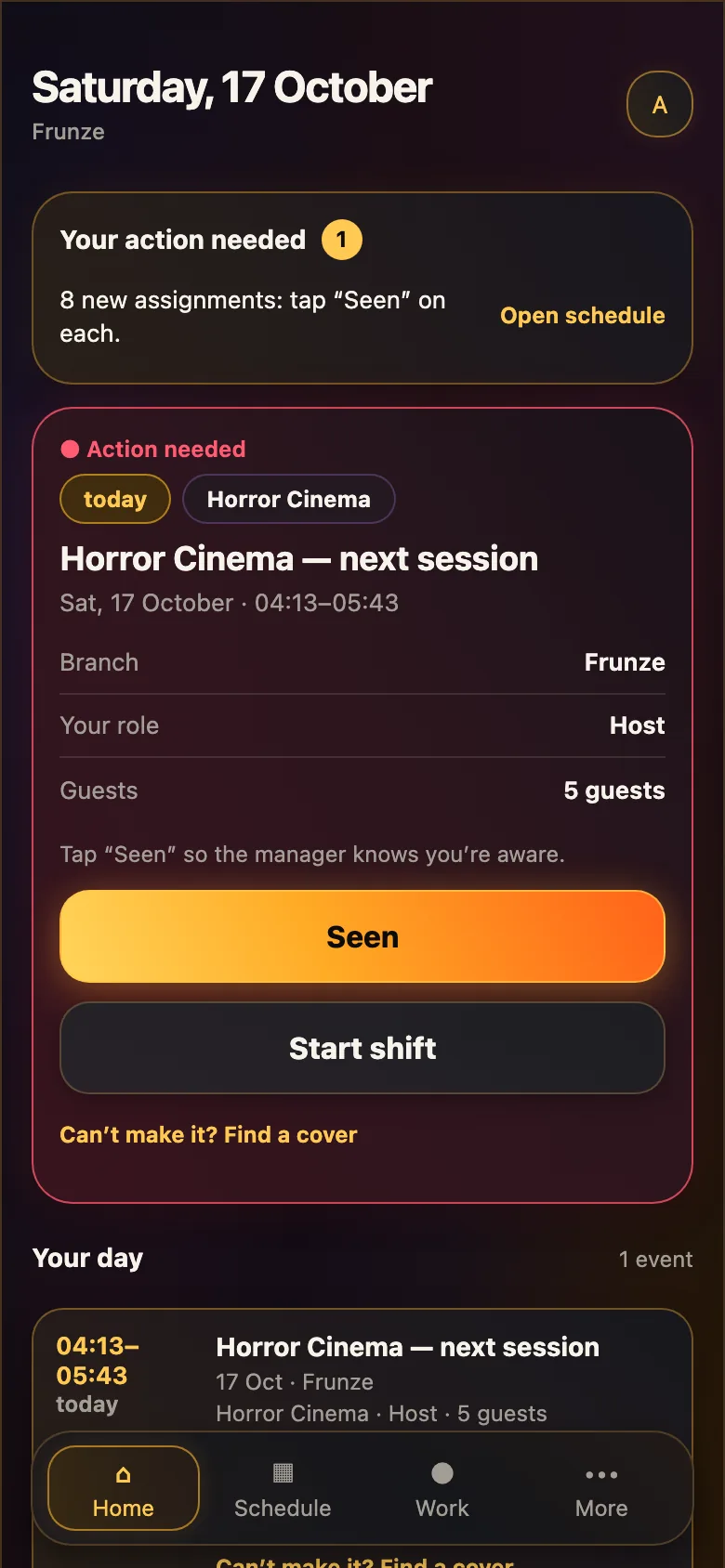
Staff open the cabinet on their phone and see their shifts: where, when, which role, how many guests. The “Seen” button tells the manager they’re aware.
If they can’t make it, they offer the shift to a colleague. The colleague accepts and the shift moves over in one step, without messaging the manager. People who haven’t worked for four weeks aren’t offered by the picker.
A till that always has someone responsible
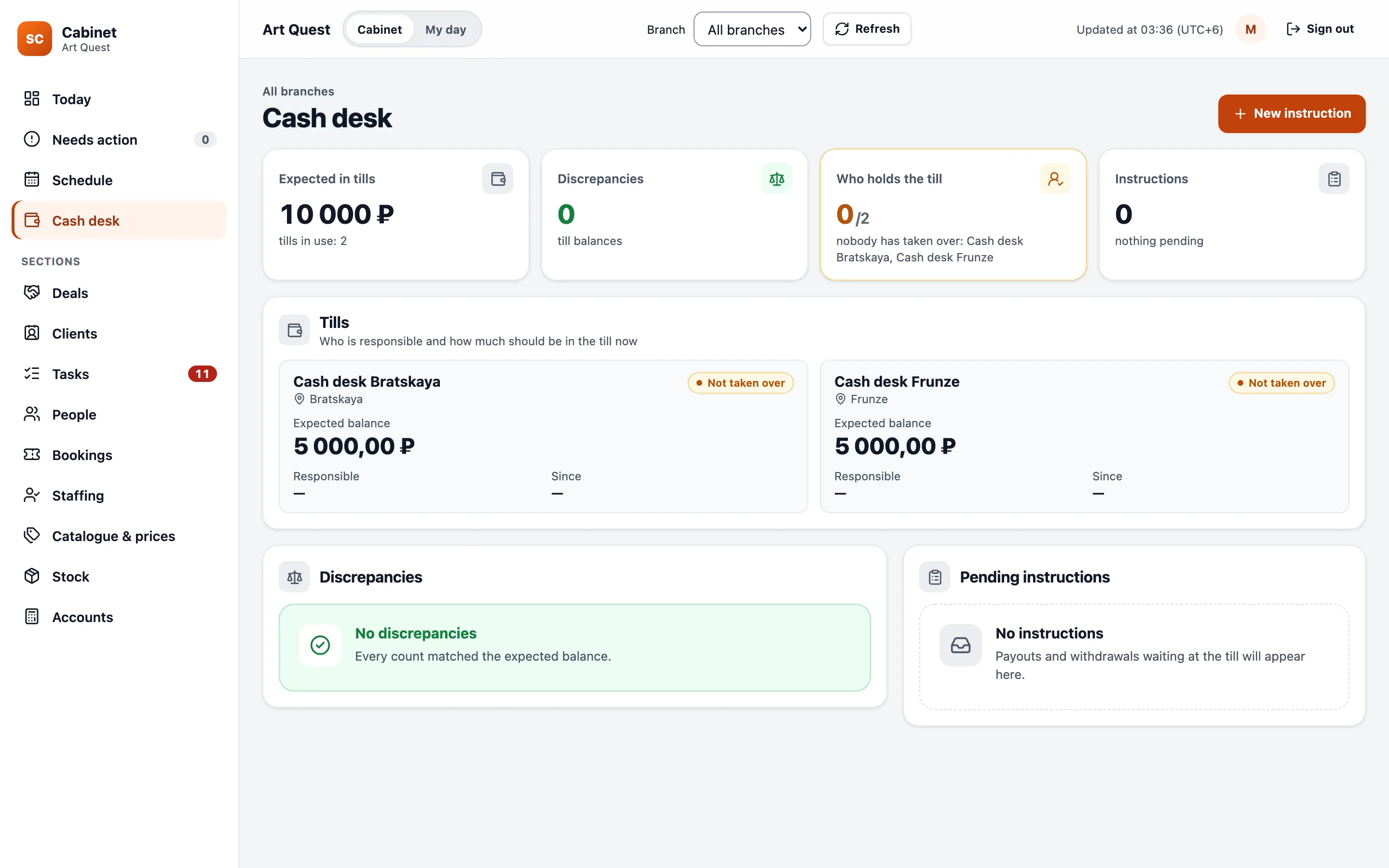
Anyone with sales rights can sell, but only the responsible person takes over and hands back the till, with a count. Expenses go in with a photo of the receipt and a category. You can’t close a shift while still responsible for the till.
A discrepancy under 100 RUB stays in the history. Over 100 RUB it becomes a question for a manager, and it is resolved by someone other than the person who made it. Payouts and withdrawals go through instructions, so money never leaves on a verbal agreement.
How it was built
What’s already inside
The cabinet is a web app for phone and desktop with separate rights for staff, managers and the head of the business. Each company’s data is isolated at database level, so one platform can serve several businesses.
On 16 October the cabinet received the staff list, admissions from work history, the catalogue with prices, stock and accounts, and the booking calendar was connected to the schedule. Next comes giving the branch staff their logins.
- The companyEvent crews, till rules, discrepancy thresholds, who may do what.
- SemCueThe shift and till model, the weekly board and picker, booking and staff imports, the phone and desktop app.
- StaffConfirm shifts, swap with each other and run the till from their phones.
For technical readers
How it’s built
- Database
- PostgreSQL with tenant isolation (RLS); roles are sets of rights scoped to the organisation or a branch.
- Time
- All business times in the branch’s time zone; the business day turns at 06:00, so late-night sessions belong to the previous day.
- Schedule
- Bookings imported from the calendar, places from crew templates, names in bookings become assignments.
- Till
- The responsible person is separate from whoever records a sale; counts on takeover and hand-back; instructions for payouts.
- Interface
- A web app; Telegram is a replaceable shell, not the foundation.
Where the numbers come from
Release log and product model
- Release log, 16 October 2026: staff and admissions import, first booking import, assignments from the calendar.
- Target product model: the end-to-end shift scenario, till and deviation thresholds.
- Screenshots come from a demo stand with fictional staff. In the English version the interface text is translated for this page.
Next system
Horror Cinema: own booking with online payment →