
Art Quest · Horror Cinema · MORPHEUS
Our own CRM.The whole history came too.
Escape rooms, a horror cinema and a theatre sold through one pipeline in amoCRM. Deals lived there, while shifts, the till and payroll lived elsewhere, and managers copied data across by hand. We built a CRM inside the company’s own cabinet and moved the full amoCRM history since December 2023 into it. Deals, clients, tasks and shifts now share one database.
Released · 15–16 October 2026 · full amoCRM history moved, processes switch over one by one
- 4,148deals moved from amoCRMthe full history since December 2023
- 370,791deal history events in the copystage changes, calls, edits
- 0discrepancies after the movemonthly budgets match to the rouble
- 83%of amoCRM tasks were set by robotsnow replaced by task rules
Deals in one system, the work in another
amoCRM handled 150–290 deals and 1,200–1,500 tasks a month. Robots set 83% of the tasks, and almost half of those were about one thing: copy a booking to the calendar or an aggregator site and check that everything matched.
Meanwhile shifts, the till and payroll lived in the company’s cabinet. To pay staff you had to know who worked an event, and only the amoCRM deal knew. Shift staff couldn’t see their party’s client; the manager couldn’t see who was on shift.
The idea was simple: one database for clients, deals, events and people. The hard part was the move. Not a single deal could be lost, and sales couldn’t stop while it happened.
Before
- Deals in amoCRM, shifts and till in the cabinet
- Robots set “copy and check” tasks
- Shift staff can’t see the client
- A subscription and someone else’s limits
After
- Deals, clients, shifts and till in one database
- Task rules switched on by the head of sales
- Staff see the client of their own event only
- Own system, own rules
Moving without losses
First we took a full copy of the amoCRM account: deals, contacts, tasks, notes and the whole event history. The copy sits in a closed part of the database that only the migration tools can read.
Then we checked the copy against amoCRM. Seven notes differed, all deleted in amoCRM itself. After the move into the new model there are no discrepancies: stages match and deal budgets agree month by month to the rouble. Running the move again changes nothing, so it can be repeated safely.
Before
Full copy
Own CRM
Switch-over
- Task rulesinstead of amoCRM robots
- ConversationsMAX, Telegram and VK next to the deal
- Shift staffsee the client of their own event only
The manager’s workspace
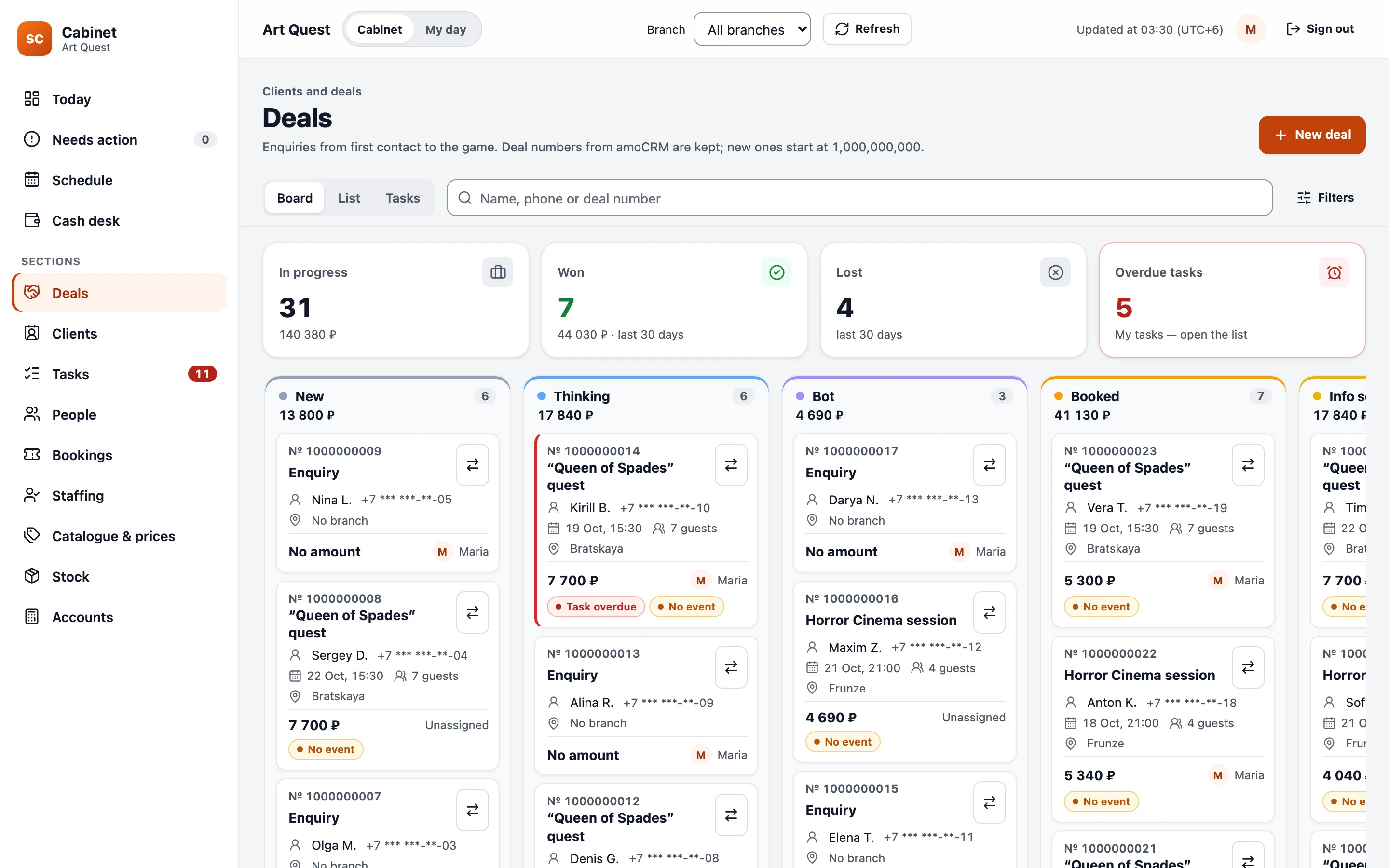
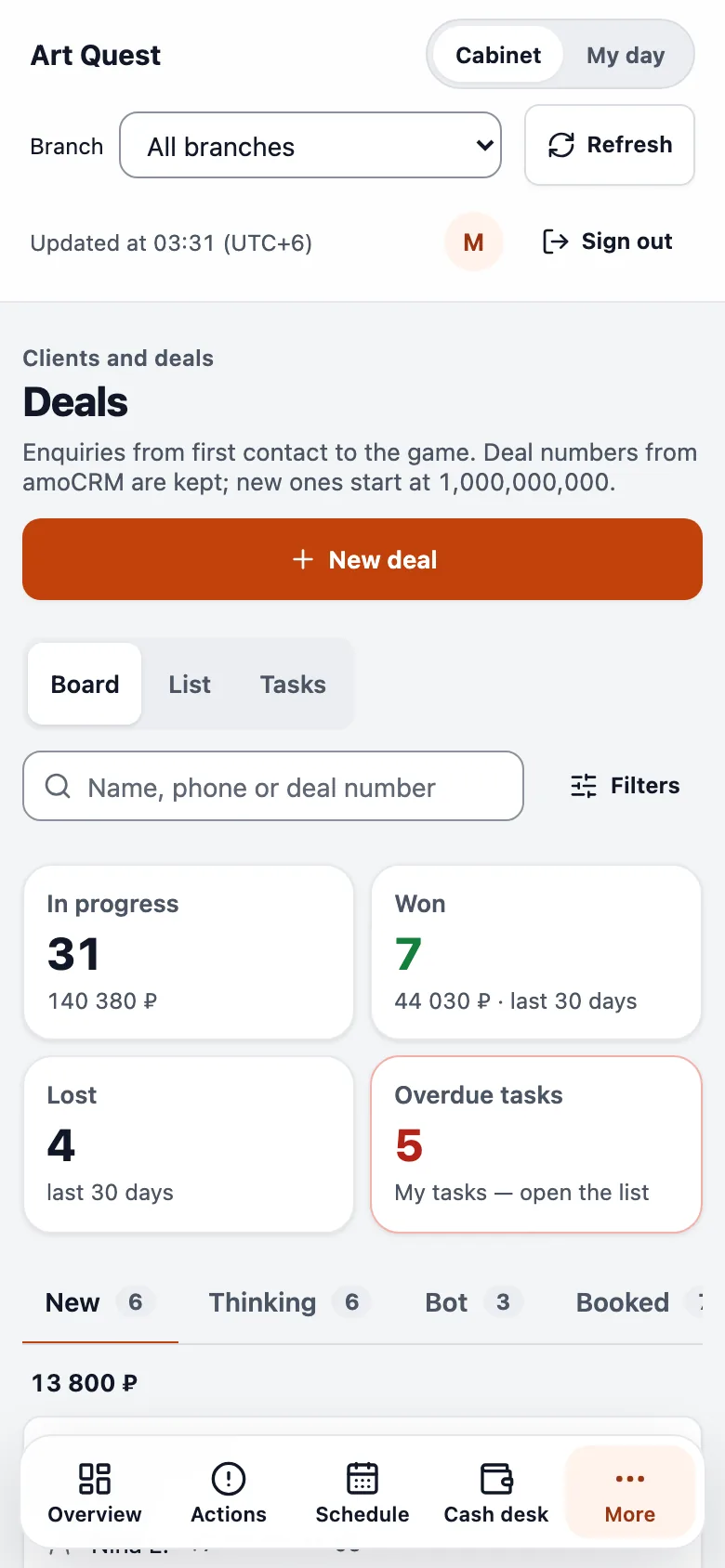
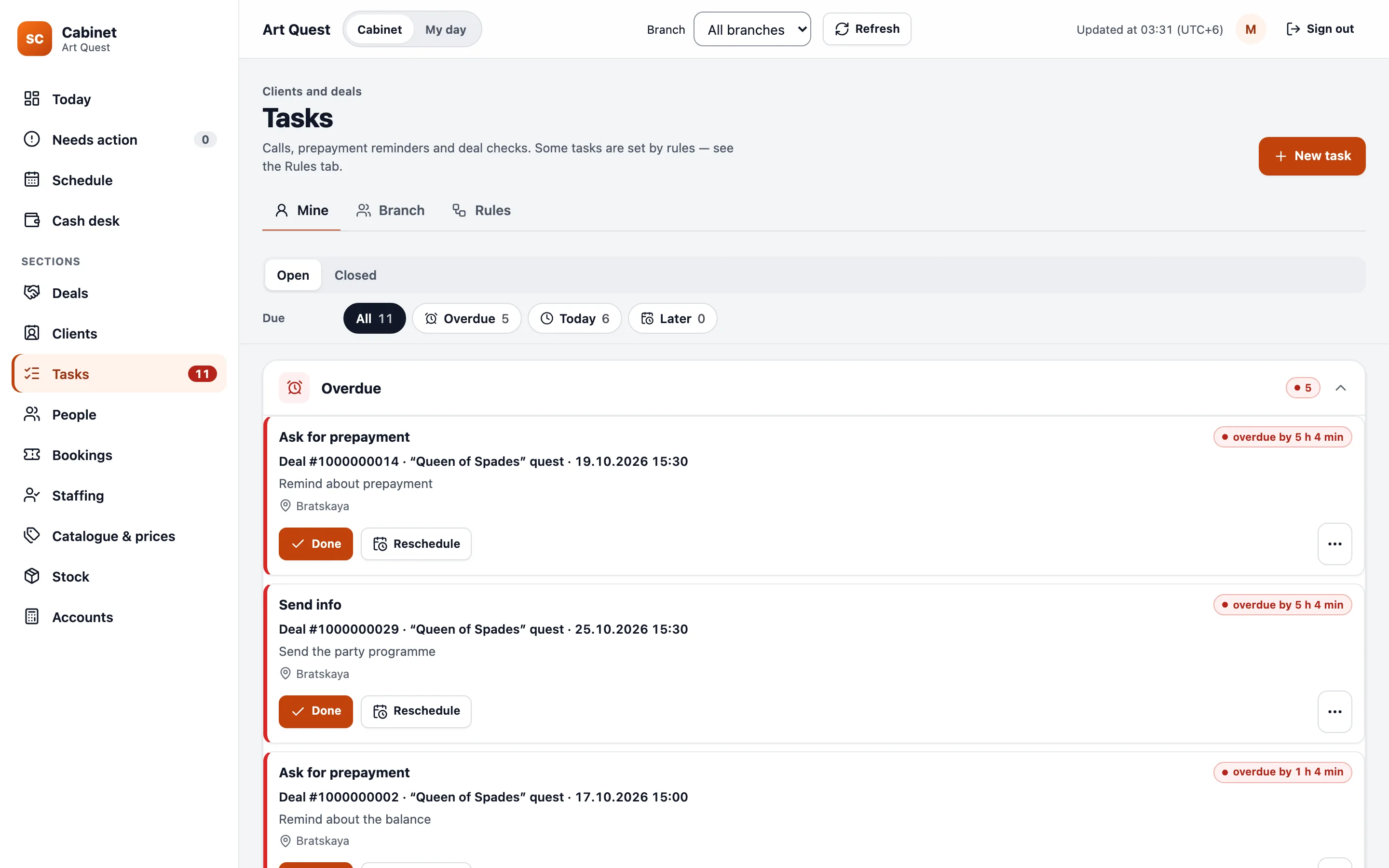
The board shows deals by stage and totals the money in each column. Above it sits what needs attention: how many are in progress, how many were lost this month and how many tasks are overdue.
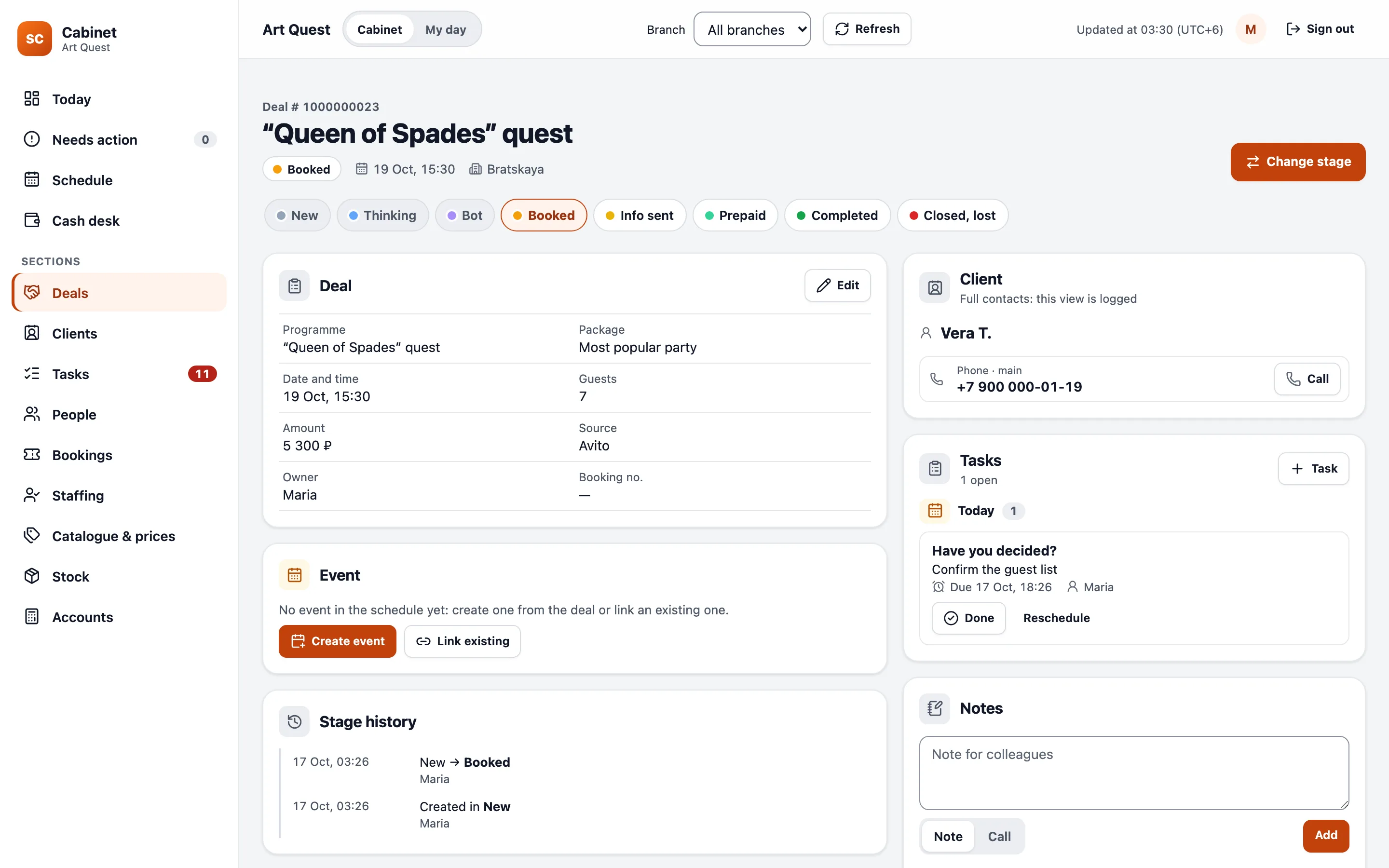
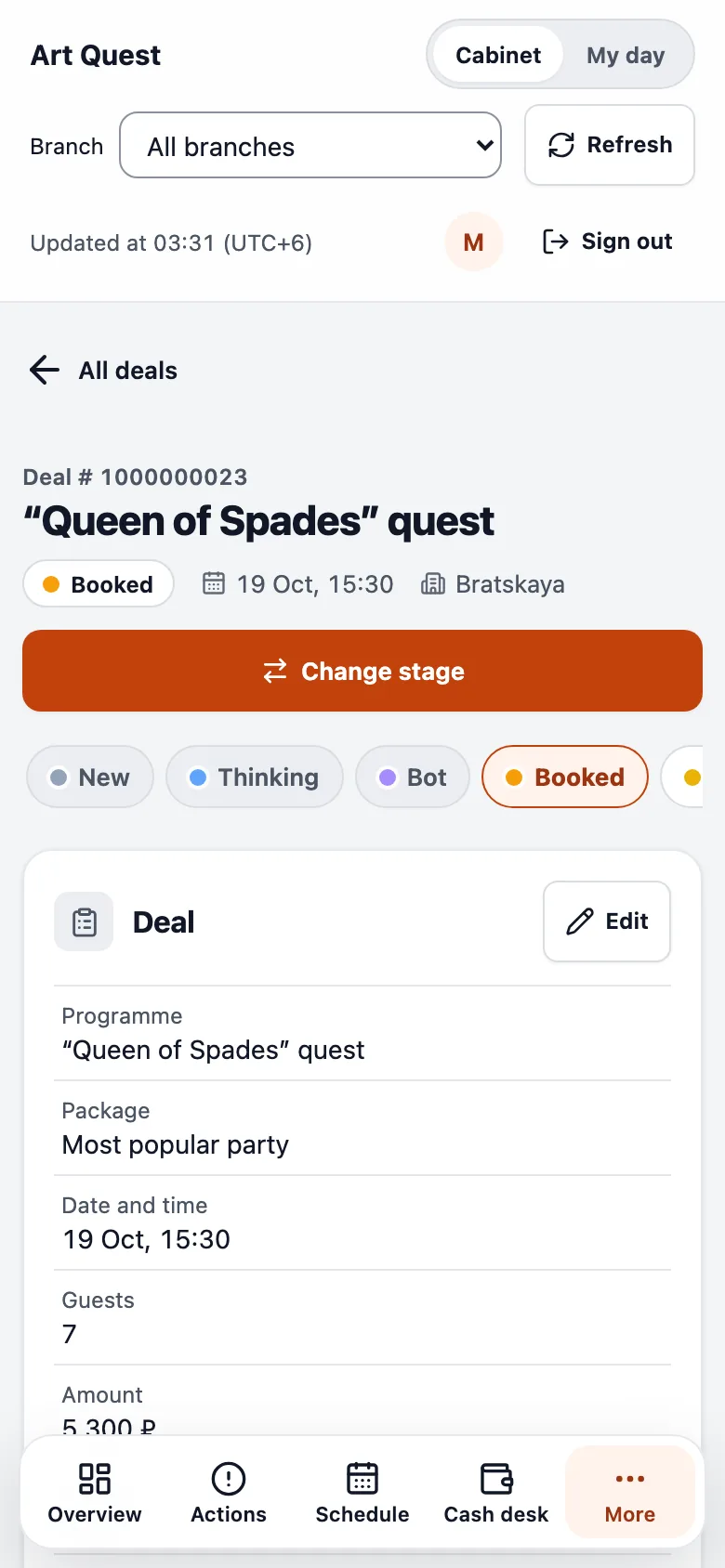
Each stage knows which fields it needs. To move a deal to Booked you need the programme, package, date and owner. If something is missing, a short form opens with just those fields. That is how the old amoCRM robots now work: instead of a “check and complete” task, the system won’t let a step be skipped.
Decisions you don’t see that protect the money
- Repeats
A double click doesn’t create a second deal
Every action carries a key. If the connection drops and the manager presses again, the system recognises the same action and doesn’t repeat it.
- Conflicts
Colleagues don’t overwrite each other
If two people edit the same deal, the second sees the first one’s changes and keeps what they typed.
- Duplicates
Clients are found by phone
A new deal looks the client up by number and warns about a duplicate only on an exact match.
- Data
Nothing extra on the device
The server masks phone numbers. The browser stores no names, numbers or note text.
How it was built
Two days from decision to working screens
On 15 October the company decided to leave amoCRM. That same day we took the full copy, built the CRM core and task rules, and moved and reconciled the history. On 16 October the Deals and Clients screens appeared.
Processes now switch over one at a time: task rules, conversations, enquiries from the website and bots. Each process has one place where data is entered, so managers never fill in two systems.
- The companyWhich stages, fields and robots are needed, what can stay behind, and the order of the switch-over.
- SemCueA map of how amoCRM was used, the full copy and reconciliation, the CRM model, screens, task rules and access rights.
- ManagersCheck the screens on their own deals before each process switches over.
For technical readers
How it’s built
- Database
- PostgreSQL with tenant isolation at database level; the raw amoCRM copy in a closed zone.
- Migration
- Full export via the amoCRM API, count reconciliation, a model import with a dry run that is safe to repeat.
- Rules
- Required fields per stage and task rules instead of robots, each enabled separately.
- Privacy
- Server-side phone masking, a log of contact views, shift staff see only their own event’s client.
- Interface
- A web app for desktop and phone; a board with drag-and-drop and keyboard control.
Where the numbers come from
Migration and release log
- Full amoCRM copy report, 15 October 2026: counts of deals, contacts, tasks, notes and events, and the reconciliation result.
- CRM model import report, 15 October 2026: discrepancies by deal and by monthly budget.
- amoCRM usage map, 15 October 2026: monthly deal and task volumes, the share of robot-set tasks.
- Screenshots come from a demo stand with fictional clients. In the English version the interface text is translated for this page.
Next system
Staff portal →